Description
Introduction
Graphic design has become one of the most valuable digital skills for freelancers, marketers, entrepreneurs, content creators, and creative professionals. Businesses today require high-quality visuals for branding, social media, websites, advertisements, mobile apps, and print materials. Because of this growing demand, learning industry-standard design tools can significantly improve career opportunities.
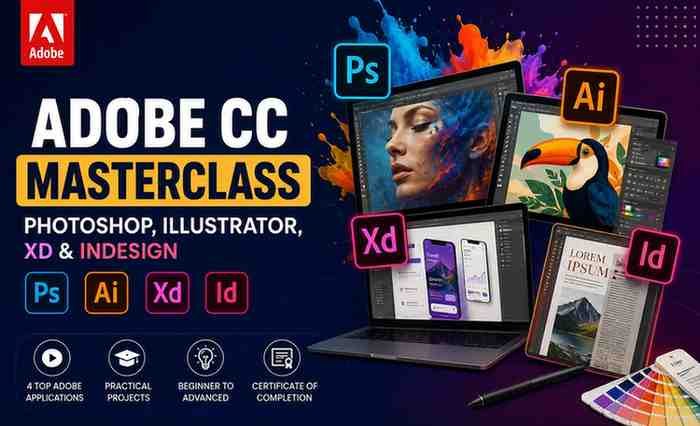
The Adobe CC Masterclass: Photoshop, Illustrator, XD & InDesign course on Udemy is designed as an all-in-one graphic design training program for beginners and aspiring professionals. Instead of focusing on only one application, the course teaches multiple major Adobe Creative Cloud tools in a structured and practical way.
This course review explores everything you need to know including course structure, software coverage, strengths, weaknesses, learning outcomes, and whether this masterclass is worth your investment.
Course Overview
Main Software Covered
The course focuses on teaching the fundamentals and practical applications of:
- Adobe Photoshop
- Adobe Illustrator
- Adobe XD
- Adobe InDesign
The curriculum combines graphic design theory with real-world projects, making it suitable for beginners entering the creative industry.
What Makes This Course Different?
Most beginner courses focus on only one Adobe application. However, professional designers usually need multiple tools for different tasks.
This course introduces students to an integrated design workflow where each software serves a specific purpose:
| Software | Primary Purpose |
|---|---|
| Photoshop | Photo editing and manipulation |
| Illustrator | Vector graphics and logo design |
| XD | UI/UX and app design |
| InDesign | Publishing and layout design |
This multi-tool approach helps students understand how professional designers work across various creative projects.
What You Will Learn
1. Adobe Photoshop Fundamentals
The Photoshop section teaches the foundations of image editing and digital manipulation.
Students learn:
- Workspace navigation
- Layers and masking
- Selection tools
- Photo retouching
- Color correction
- Image manipulation
- Composition techniques
- Social media graphics
The course also includes practical editing projects that improve hands-on experience.
2. Adobe Illustrator Training
The Illustrator module focuses on vector design and branding.
Topics include:
- Pen tool mastery
- Shape building
- Icon creation
- Logo design
- Vector illustration
- Typography basics
- Tracing techniques
- Branding workflows
This section is especially useful for students interested in logo design and scalable graphics.
3. Adobe XD for UI/UX Design
One of the standout features of the course is the inclusion of Adobe XD training.
Students learn:
- Website wireframing
- Mobile app design
- Responsive layouts
- User interface design
- Prototype creation
- Interactive design workflows
- Mobile UX concepts
The course introduces modern UI/UX design fundamentals in a beginner-friendly way.
4. Adobe InDesign for Publishing
The InDesign section focuses on professional layout and publishing design.
Students learn:
- Multi-page layouts
- Typography principles
- Book cover design
- Print-ready document setup
- Marketing materials
- Publishing workflows
- Grid systems
This makes the course useful for both digital and print designers.
5. Graphic Design Fundamentals
Beyond software tutorials, the course also introduces important design concepts such as:
- Color theory
- Visual hierarchy
- Composition
- Typography
- Branding consistency
- Layout balance
- User-centered design
These principles help students build foundational design thinking rather than only learning tools.
Course Structure and Teaching Style
The course follows a project-based learning approach. Instead of only watching theoretical lectures, students work on practical design exercises throughout the course.
This methodology helps improve:
- Skill retention
- Real-world understanding
- Creative confidence
- Portfolio development
The instructors explain concepts in a beginner-friendly format, making complex software easier to understand.
Strengths of the Course
Comprehensive Adobe Training
One of the biggest advantages is learning multiple Adobe applications in one structured course.
Students gain exposure to:
- Graphic design
- Photo editing
- UI/UX design
- Publishing
- Branding
- Marketing design
This broad skillset is valuable for freelancers and creative professionals.
Beginner-Friendly Approach
The course is specifically designed for beginners with little or no prior design experience.
Lessons are organized progressively, helping students build confidence gradually.
Practical Real-World Projects
The course includes practical assignments such as:
- Logo creation
- Website layouts
- Mobile app interfaces
- Book covers
- Marketing graphics
- Social media visuals
These projects help students create portfolio-ready work.
Covers Multiple Creative Industries
The course prepares learners for work in:
- Graphic design
- Social media marketing
- UI/UX design
- Branding
- Content creation
- Publishing
- Freelancing
- Digital marketing
This versatility increases the long-term value of the course.
Affordable Alternative to Design Schools
Compared to traditional design programs, this course offers accessible and affordable creative education for self-paced learners.
Areas That Could Be Improved
Advanced-Level Coverage is Limited
Because the course covers multiple applications, it cannot go extremely deep into every advanced feature.
Students seeking advanced mastery in:
- High-end Photoshop compositing
- Advanced Illustrator illustration
- Professional UI research
- Advanced InDesign automation
may eventually require specialized courses.
Rapid Software Updates
Adobe software evolves frequently. Some interface elements or workflows may differ slightly from newer versions of the applications.
Limited Motion Graphics Training
The course mainly focuses on static graphic design rather than advanced animation or motion graphics workflows.
Who Should Take This Course?
This course is ideal for:
- Beginner graphic designers
- Freelancers
- Social media managers
- Content creators
- Entrepreneurs
- Marketing professionals
- Students
- Bloggers
- Small business owners
- Aspiring UI/UX designers
It is especially valuable for individuals wanting broad exposure to Adobe Creative Cloud tools.
Who May Not Benefit Fully?
This course may not be ideal for:
- Advanced professional designers
- Specialized VFX artists
- Senior UI/UX professionals
- Experienced Adobe users
- Motion graphics specialists
Advanced users may find some sections introductory.
Skills You Can Build
After completing the course, students may gain skills in:
- Graphic design
- Branding
- UI/UX design
- Social media design
- Typography
- Publishing
- Photo editing
- Logo creation
- Layout design
- Mobile app prototyping
These are highly marketable skills in the modern digital economy.
Career Opportunities
Learning Adobe Creative Cloud tools can support careers such as:
- Graphic Designer
- UI/UX Designer
- Social Media Designer
- Brand Designer
- Freelance Creative Designer
- Marketing Designer
- Content Creator
- Visual Designer
- Publishing Designer
- Web Designer
The demand for digital design skills continues to grow across industries.
Why Learning Multiple Adobe Tools Matters
Modern creative professionals rarely rely on a single application.
For example:
- Logos may begin in Illustrator
- Images are refined in Photoshop
- App interfaces are designed in XD
- Marketing brochures are finalized in InDesign
Understanding how these tools work together improves professional flexibility and workflow efficiency.
Student Learning Experience
The learning experience is generally smooth and beginner-focused. The instructors explain tools step-by-step and maintain a practical teaching style throughout the course.
Students who consistently practice the projects are likely to build a strong creative foundation.
Summary
The Adobe CC Masterclass: Photoshop, Illustrator, XD & InDesign course is an excellent all-in-one introduction to graphic design and Adobe Creative Cloud workflows.
The course successfully combines:
- Multiple Adobe applications
- Beginner-friendly instruction
- Practical projects
- Design theory fundamentals
- Real-world creative workflows
For aspiring designers, freelancers, entrepreneurs, marketers, and content creators, this course offers substantial value and broad creative exposure.
If your goal is to build a strong foundation in graphic design while learning the most important Adobe Creative Cloud applications, this masterclass is definitely worth considering.