
Description
Introduction
Computer-aided design (CAD) has become an essential skill for engineers, product designers, manufacturing professionals, and mechanical engineering students. Among all CAD software platforms available today, SOLIDWORKS remains one of the most widely used tools in product design, industrial engineering, and manufacturing industries worldwide.
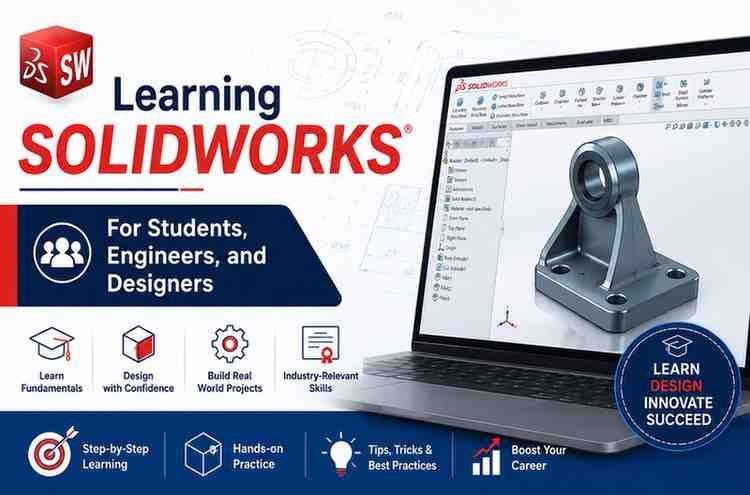
The course “Learning SOLIDWORKS: For Students, Engineers, and Designers” on Udemy is designed to help beginners and aspiring professionals build strong foundational and intermediate-level skills in SOLIDWORKS. Whether you are a college student preparing for engineering projects, a working professional upgrading your CAD capabilities, or a designer entering the mechanical design field, this course aims to provide practical, hands-on training.
This review explores the course structure, features, strengths, learning outcomes, advantages, disadvantages, and who should enroll.
What the Course Teaches
The course focuses on practical SOLIDWORKS workflows used in real-world engineering and product design environments. Learners gradually move from basic sketching concepts to advanced part modeling and assemblies.
Key learning topics typically include:
1. SOLIDWORKS Interface and Navigation
Students learn how to:
- Navigate the SOLIDWORKS workspace
- Use command managers and toolbars
- Customize the design environment
- Understand design trees and feature managers
This foundational section is extremely important for beginners because it reduces confusion and improves workflow efficiency.
2. 2D Sketching Fundamentals
Sketching is the backbone of any CAD model. The course explains:
- Lines and geometric shapes
- Constraints and dimensions
- Smart dimension tools
- Sketch relations
- Parametric sketching methods
These concepts help students create accurate and fully defined sketches.
3. 3D Part Modeling
One of the strongest areas of the course is part modeling. Learners create realistic mechanical components using:
- Extrude features
- Revolve tools
- Sweep operations
- Lofted geometry
- Shell and rib commands
- Fillets and chamfers
The instructor demonstrates how simple sketches evolve into fully functional 3D mechanical parts.
4. Assembly Design
Assembly creation is essential for engineering applications. The course introduces:
- Mates and assembly constraints
- Component positioning
- Motion basics
- Assembly relationships
- Interference checking
This section helps students understand how multiple components work together in mechanical systems.
5. Technical Drawings and Drafting
Engineering drawings remain critical in manufacturing industries. Students learn:
- Drawing sheet creation
- Orthographic projections
- Section views
- Dimensions and annotations
- Bill of materials (BOM)
This module is valuable for learners planning to work in production or manufacturing sectors.
6. Real-World Design Projects
Practical exercises improve retention and portfolio development. The course includes projects that help learners:
- Apply theoretical concepts
- Improve modeling speed
- Develop engineering thinking
- Build confidence with CAD workflows
Hands-on project-based learning is one of the biggest advantages of this training.
Course Quality and Teaching Style
The teaching approach is beginner-friendly and structured logically. Concepts are usually explained step-by-step before moving into practical implementation.
What Works Well
- Clear demonstrations
- Easy-to-follow explanations
- Practical workflow emphasis
- Progressive learning structure
- Hands-on exercises after theory
The instructor focuses more on practical usage than overly technical explanations, which benefits new learners significantly.
Advantages of This SOLIDWORKS Course
Beginner-Friendly Structure
The course starts from fundamentals, making it accessible even for learners with no prior CAD experience.
Industry-Relevant Skills
The training aligns with real-world engineering and product design workflows commonly used in industries.
Practical Learning Approach
Instead of focusing only on theory, the course emphasizes model creation and design practice.
Good for Engineering Students
Mechanical and manufacturing engineering students can use this course to strengthen academic projects and internship preparation.
Helps Build CAD Portfolio
The exercises and projects can be useful additions to a beginner’s engineering portfolio.
Flexible Self-Paced Learning
Learners can revisit lessons anytime and learn at their own pace.
Who Should Take This Course?
Engineering Students
This course is highly suitable for:
- Mechanical engineering students
- Production engineering students
- Industrial engineering students
It can help improve employability and technical confidence.
Beginners Entering CAD Design
If you want to start a career in:
- CAD modeling
- Product design
- Mechanical drafting
- Manufacturing design
this course provides a strong starting point.
Working Professionals
Professionals transitioning into design-oriented roles can use this training to upgrade their technical skill set.
Freelancers and Product Designers
Freelancers involved in prototype design or mechanical concept development may also benefit from the practical modeling techniques.
Career Benefits of Learning SOLIDWORKS
Learning SOLIDWORKS can open opportunities in industries such as:
- Automotive
- Aerospace
- Consumer products
- Manufacturing
- Industrial equipment
- Robotics
- Product development
Common job roles include:
- CAD Designer
- Mechanical Design Engineer
- Product Design Engineer
- Drafting Engineer
- Manufacturing Design Specialist
CAD skills are increasingly valuable because companies continue adopting digital design and prototyping workflows.
Summary
The Learning SOLIDWORKS: For Students, Engineers, and Designers course is a solid entry-level CAD training program for learners who want practical exposure to modern mechanical design workflows.