




Description
Introduction
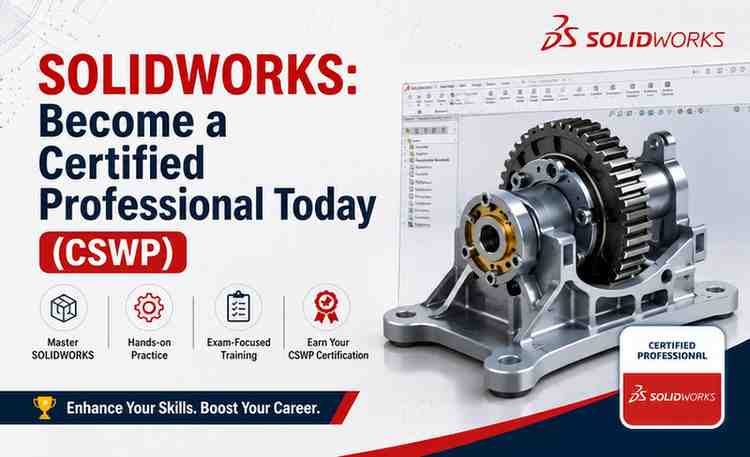
If you want to build a strong career in mechanical design, product development, manufacturing, or CAD engineering, learning SOLIDWORKS is one of the smartest investments you can make. The SOLIDWORKS: Become a Certified Professional Today (CSWP) course is designed to help students, engineers, designers, and working professionals master SOLIDWORKS from fundamentals to advanced professional-level concepts.
This course focuses heavily on practical modeling techniques, assembly creation, engineering drawings, and certification preparation for the globally recognized CSWP credential. Whether you are a beginner entering the CAD industry or an experienced engineer aiming to validate your skills, this training program offers a structured roadmap.
In this detailed review, you will learn everything about the course content, teaching quality, benefits, drawbacks, career value, and whether it is worth your time and money.
What Is the SOLIDWORKS CSWP Course?
The course is a comprehensive SOLIDWORKS training program that teaches:
- 3D part modeling
- Parametric design
- Sketching techniques
- Assembly modeling
- Engineering drawings
- Design modifications
- Advanced SOLIDWORKS tools
- CSWP certification preparation
The main goal of the course is to help learners become industry-ready CAD professionals while preparing them for the Certified SOLIDWORKS Professional (CSWP) exam.
The CSWP certification is highly respected in mechanical engineering and manufacturing industries because it proves advanced competency in SOLIDWORKS software.
Who Should Take This Course?
This course is suitable for a wide range of learners, including:
- Mechanical engineering students
- Industrial design students
- Manufacturing professionals
- CAD designers
- Product designers
- CNC programmers
- Engineers preparing for job interviews
- Freelancers working in 3D modeling
- Professionals preparing for CSWP certification
Even beginners with limited CAD experience can follow the lessons because the course starts with core concepts before moving into advanced workflows.
Course Structure and Learning Experience
One of the strongest aspects of this course is its structured learning path. Instead of overwhelming students with advanced tools immediately, the instructor gradually builds technical understanding.
1. SOLIDWORKS Fundamentals
The course begins with core SOLIDWORKS concepts such as:
- Interface navigation
- Sketch creation
- Constraints and dimensions
- Feature-based modeling
- Extrude and revolve tools
- Fillets and chamfers
This foundation is extremely important because SOLIDWORKS relies heavily on parametric design principles.
2. Part Modeling
Part modeling is one of the most critical sections in the course. Students learn how to create accurate mechanical components using professional workflows.
Topics commonly include:
- Complex sketching
- Reference geometry
- Sweeps and lofts
- Patterns and mirrors
- Multi-body modeling
- Design intent strategies
The lessons emphasize real-world engineering design practices rather than only theoretical explanations.
3. Assembly Design
Assembly modeling is where many beginners struggle, but this course explains it clearly.
You learn:
- Mates and constraints
- Motion relationships
- Assembly management
- Component positioning
- Interference detection
- Large assembly workflows
Understanding assemblies is essential for mechanical product design and manufacturing industries.
4. Engineering Drawings
Technical drawings remain a major requirement in manufacturing and production environments.
This section teaches:
- Drawing sheet creation
- Dimensions and annotations
- BOM (Bill of Materials)
- Section views
- Detail views
- Tolerancing basics
The training helps students bridge the gap between 3D design and manufacturing documentation.
5. CSWP Certification Preparation
The certification-focused modules are one of the biggest highlights of the course.
The instructor usually covers:
- CSWP exam structure
- Time management techniques
- Practice exercises
- Advanced modeling challenges
- Parametric modification questions
- Exam-oriented workflows
This practical preparation can significantly improve confidence before taking the official certification exam.
Teaching Style and Instructor Quality
The teaching approach is practical and application-oriented. Instead of only discussing software tools theoretically, the instructor demonstrates actual design workflows step by step.
Key strengths of the teaching style include:
- Clear explanations
- Beginner-friendly demonstrations
- Professional engineering examples
- Real-time modeling exercises
- Logical lesson progression
- Practical project-based learning
The pacing is generally balanced, making it easier for students to follow along without feeling rushed.
What Makes This Course Valuable?
Industry-Relevant Skills
SOLIDWORKS remains one of the most widely used CAD platforms in:
- Mechanical engineering
- Automotive industries
- Aerospace
- Industrial equipment
- Consumer products
- Manufacturing companies
Learning SOLIDWORKS professionally can improve employability and open doors to technical design roles.
Strong Certification Focus
Many SOLIDWORKS courses teach only basic modeling, but this course specifically targets CSWP preparation, which adds more professional value.
The CSWP credential demonstrates:
- Advanced modeling capability
- Design efficiency
- Professional CAD competency
- Industry-recognized skill validation
This can strengthen resumes and technical portfolios.
Hands-On Learning
The course heavily emphasizes practice rather than passive watching.
Students gain experience through:
- Modeling exercises
- Design challenges
- Assembly projects
- Technical drawing creation
- Real engineering workflows
This practical exposure improves long-term retention and software confidence.
Pros of the Course
Comprehensive Coverage
The course covers beginner to advanced concepts in a structured way.
Certification-Oriented Training
The CSWP preparation material adds substantial professional value.
Practical Engineering Examples
The lessons simulate real-world CAD workflows.
Suitable for Career Growth
The course can help learners prepare for:
- CAD design jobs
- Mechanical engineering interviews
- Freelance design projects
- Product development roles
Self-Paced Learning
Students can learn according to their own schedule.
Potential Drawbacks
Requires Consistent Practice
SOLIDWORKS is skill-based software. Watching videos alone is not enough. Students must practice regularly.
Advanced Sections May Challenge Beginners
Some advanced modeling and assembly lessons may initially feel difficult for absolute beginners.
Hardware Requirements
SOLIDWORKS performs best on systems with:
- Dedicated graphics card
- Good RAM capacity
- Strong processor performance
Lower-end systems may experience lag during complex assemblies.
Career Opportunities After Completing the Course
After mastering SOLIDWORKS and preparing for CSWP certification, learners can pursue roles such as:
- CAD Designer
- Mechanical Design Engineer
- Product Design Engineer
- Industrial Designer
- Manufacturing Engineer
- 3D Modeling Specialist
- Sheet Metal Designer
- Tooling Designer
Freelance opportunities are also available through engineering and CAD outsourcing platforms.
Is the CSWP Certification Worth It?
Yes, for many engineering professionals, the CSWP certification adds significant credibility.
Benefits include:
- Better resume visibility
- Higher professional confidence
- Stronger technical validation
- Competitive advantage during interviews
- Recognition by engineering employers worldwide
Certification alone does not guarantee a job, but combined with practical skills and portfolio projects, it becomes highly valuable.
Tips for Success in This Course
To maximize learning outcomes:
- Practice every lesson immediately
- Recreate models without watching tutorials
- Focus on design intent and parametric thinking
- Build additional personal projects
- Take notes on shortcuts and workflows
- Attempt mock CSWP-style challenges regularly
Consistent practice is the key to becoming proficient in SOLIDWORKS.
Summary
The SOLIDWORKS: Become a Certified Professional Today (CSWP) course is an excellent investment for aspiring CAD professionals, engineering students, and mechanical designers who want practical SOLIDWORKS expertise along with certification preparation.
Overview
SUPERB!




Reviews
There are no reviews yet.