




Description
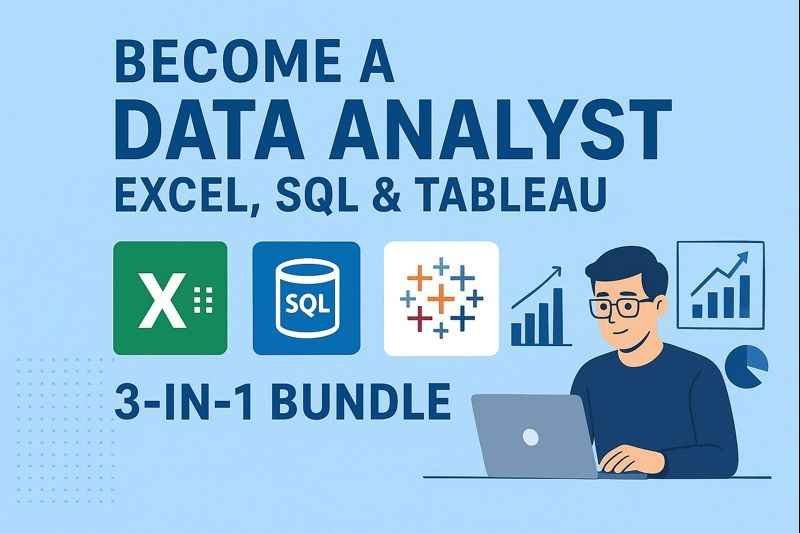
Data analytics has become one of the most in-demand career paths across industries. Employers increasingly look for professionals who can work confidently with data, extract insights, and present findings in a clear, business-friendly manner. Among the many learning paths available, Become a Data Analyst: Excel, SQL & Tableau – 3-in-1 Bundle positions itself as a concise, practical roadmap into the data analyst role.
This course focuses on the three most widely used tools in entry-level and mid-level analytics jobs—Excel for data handling, SQL for database querying, and Tableau for visualization. Rather than overwhelming learners with too many technologies, the course concentrates on building job-ready competence with these essentials.
This review evaluates the course structure, learning depth, suitability, and overall value.
Course Overview
The course is designed as a career-oriented analytics bundle, guiding learners from basic data handling to full analytical workflows. It assumes no prior analytics background and gradually builds skills across three core platforms.
Primary goals of the course include:
-
Establishing a strong data analysis foundation
-
Teaching how to work with structured business data
-
Developing analytical thinking using real-world scenarios
-
Preparing learners for junior data analyst roles
The curriculum emphasizes practical application over academic theory, making it suitable for learners focused on employability.
What You Will Learn in This Course
1. Excel for Data Analysis
The first part of the course focuses on Excel, a staple in business analytics.
You will learn:
-
Data cleaning and preparation in spreadsheets
-
Sorting, filtering, and organizing datasets
-
Using formulas and built-in functions
-
Creating pivot tables for analysis
-
Summarizing and interpreting data
This section reflects how Excel is actually used in professional environments.
2. SQL for Database Analysis
SQL is a mandatory skill for working with large datasets stored in databases.
The course teaches:
-
Understanding relational databases
-
Writing SELECT queries for analysis
-
Filtering and aggregating data
-
Joining multiple tables
-
Extracting actionable insights using SQL
The SQL content is highly analysis-centric, with minimal focus on database administration.
3. Tableau for Data Visualization
Turning analysis into insight requires strong visualization skills.
You will learn:
-
Data visualization fundamentals
-
Creating dashboards and charts
-
Choosing the right visual for each insight
-
Designing clear, business-friendly dashboards
The Tableau module emphasizes clarity, storytelling, and decision support.
4. End-to-End Analytical Thinking
Beyond tools, the course trains learners to think like analysts.
You will gain experience with:
-
Defining business problems
-
Preparing data for analysis
-
Analyzing and validating results
-
Presenting insights effectively
This holistic approach makes the learning more practical and job-relevant.
Teaching Style & Learning Experience
The instructional approach is:
-
Beginner-friendly and structured
-
Demonstration-based with real examples
-
Progressive, moving from simple to complex
-
Focused on practical use cases
The course avoids unnecessary technical complexity and keeps learning outcomes clearly aligned with real job requirements.
Pros and Cons
✅ Pros
-
Covers three essential analytics tools in one course
-
Strong emphasis on practical business use cases
-
Beginner-friendly learning path
-
Ideal for aspiring data analysts
-
Balanced focus on analysis and presentation
-
Job-oriented curriculum
❌ Cons
-
Does not include Python or advanced analytics
-
Limited coverage of statistics
-
Not suitable for machine learning enthusiasts
-
Tableau depth is introductory to intermediate
Who Should Take This Course?
This course is ideal for:
-
Beginners starting a career in data analytics
-
Professionals transitioning from non-technical roles
-
Business analysts upgrading analytical skills
-
Students preparing for entry-level analyst jobs
-
Individuals seeking a practical, tool-focused learning path
Who Should Avoid This Course?
You may want to skip or supplement this course if:
-
You already have strong Excel, SQL, and Tableau experience
-
You want advanced data science or AI training
-
You need Python-based analytics or automation
-
You are looking for big-data or cloud analytics tools
Skills You Will Gain After Completion
By the end of the course, learners will be able to:
-
Analyze business data using Excel and SQL
-
Query databases confidently
-
Create professional Tableau dashboards
-
Interpret and communicate analytical insights
-
Handle common real-world analytics tasks
These skills align closely with junior data analyst job requirements.
Is Become a Data Analyst: Excel, SQL & Tableau Worth It?
For learners looking for a clear, structured, and practical entry into data analytics, this 3-in-1 bundle offers solid value. By focusing on the tools most commonly required in analytics job postings, the course provides a realistic and efficient learning path.
It is particularly effective for individuals who want to avoid overly complex technologies and build confidence with industry-standard tools.
Summary
Become a Data Analyst: Excel, SQL & Tableau – 3-in-1 Bundle delivers a focused, hands-on approach to learning data analytics. Its emphasis on practical tools, real-world workflows, and business-friendly insights makes it a strong option for aspiring data analysts.
For beginners seeking a job-ready analytics foundation, this course is a dependable choice.

Reviews
There are no reviews yet.