




Description
Introduction
Professional document design is an essential skill in publishing, branding, marketing, and digital media. From magazines and brochures to eBooks, presentations, and business reports, visually appealing layouts help businesses and creators communicate effectively.
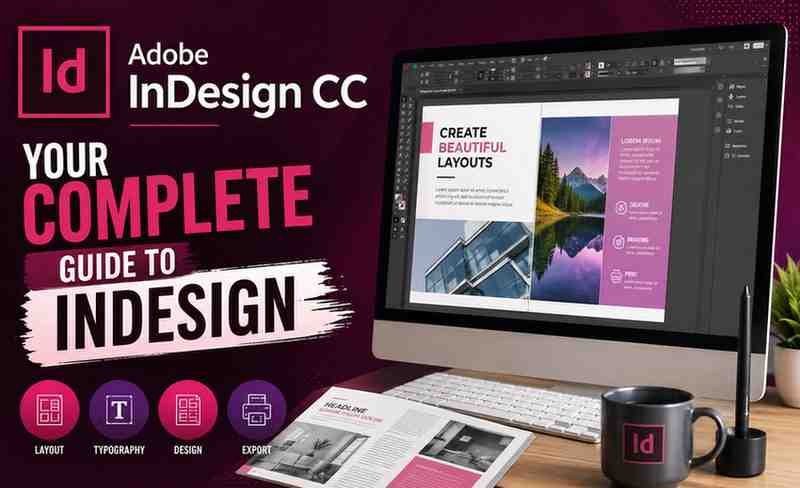
Among all publishing and layout design tools, Adobe InDesign remains one of the most widely used applications in the creative industry. The course “Adobe InDesign CC: Your Complete Guide to InDesign” on Udemy is designed to help beginners and aspiring designers master professional page layout and publishing techniques using Adobe InDesign.
This detailed review explores the course structure, learning experience, strengths, limitations, career benefits, and whether the course is worth enrolling in for beginners and professionals alike.
What is Adobe InDesign?
Adobe InDesign is a professional desktop publishing and page layout software developed by Adobe. It is commonly used for:
- Magazine design
- Brochure creation
- eBook publishing
- Flyers and posters
- Interactive PDFs
- Business reports
- Catalogs
- Marketing materials
- Print publishing
It is considered an industry-standard tool for layout design and publishing.
Course Overview
Course Focus
The course focuses on teaching students how to:
- Navigate Adobe InDesign
- Create professional layouts
- Work with typography
- Design print and digital documents
- Manage pages and master templates
- Export projects professionally
- Build publishing-ready documents
The course follows a practical project-based learning style that helps students understand real-world design workflows.
What You Will Learn
1. Understanding the InDesign Workspace
The course starts with a beginner-friendly introduction to the software interface. Students learn:
- Toolbar navigation
- Panels and workspace customization
- Document setup
- Page settings
- Margins and bleed
- Workspace organization
This foundational section helps beginners become comfortable using the software.
2. Professional Page Layout Design
One of the core strengths of Adobe InDesign is its layout precision.
The course teaches:
- Multi-page document design
- Grid systems
- Alignment tools
- Smart guides
- Layout balancing
- Visual hierarchy
These skills are essential for professional publishing projects.
3. Typography and Text Formatting
Typography is one of the most important aspects of design. The course covers:
- Font pairing
- Paragraph styles
- Character styles
- Text wrapping
- Kerning and tracking
- Columns and spacing
- Professional typography principles
Students learn how to create visually appealing and readable layouts.
4. Working with Images and Graphics
The instructor explains how to integrate visual elements effectively into layouts.
Topics include:
- Importing images
- Image positioning
- Cropping and resizing
- Using frames
- Linking graphics
- Managing image quality
- Combining text and visuals
This section helps students create polished marketing and publishing materials.
5. Master Pages and Templates
Efficiency is critical in professional publishing workflows.
The course teaches:
- Creating master pages
- Using reusable layouts
- Automating repetitive design tasks
- Consistent branding workflows
- Page numbering systems
These features are especially valuable for magazine and catalog production.
6. Color and Design Principles
Students also learn important visual design fundamentals including:
- Color theory basics
- CMYK vs RGB
- Branding consistency
- Visual contrast
- White space usage
- Layout aesthetics
This helps improve overall design quality and professionalism.
7. Exporting and Print Preparation
Professional export settings are crucial for print and digital publishing.
The course explains:
- PDF export settings
- Print-ready file preparation
- Packaging projects
- Compression settings
- Interactive document export
- Digital publishing workflows
These lessons help students avoid common publishing mistakes.
Course Strengths
Beginner-Friendly Teaching Style
The course is structured clearly and logically, making it accessible for complete beginners with no prior design experience.
Practical Project-Based Learning
Students work on real design examples rather than only learning theory. This practical approach improves learning retention significantly.
Strong Typography Training
Typography training is one of the strongest parts of the course. Students gain a better understanding of professional text layout and readability.
Real-World Publishing Skills
The course teaches practical workflows used in:
- Publishing agencies
- Marketing teams
- Branding studios
- Freelance design businesses
- Corporate communication departments
Excellent for Freelancers and Entrepreneurs
Business owners and freelancers can use these skills to create:
- Marketing brochures
- Business proposals
- eBooks
- Promotional flyers
- Product catalogs
- Social media PDFs
This makes the course valuable beyond traditional publishing careers.
Areas That Could Be Improved
Limited Advanced Automation
While the course covers the fundamentals well, advanced automation features such as scripting and complex data merge workflows may not be deeply explored.
Advanced Interactive Publishing
Users seeking advanced interactive digital publishing may need additional specialized training.
Motion Graphics Integration
The course focuses mainly on layout and publishing rather than animated or interactive multimedia projects.
Who Should Take This Course?
This course is ideal for:
- Beginner graphic designers
- Content creators
- Marketing professionals
- Freelancers
- Students
- Publishers
- Bloggers
- Entrepreneurs
- Print designers
- Branding specialists
It is especially useful for people who want to create professional documents and marketing materials.
Who May Not Benefit Fully?
This course may not be the best fit for:
- Highly advanced publishing professionals
- Motion graphics specialists
- Experienced InDesign users
- Users focused entirely on UI/UX design
Advanced designers may already know many of the beginner concepts.
Skills You Can Gain
After completing the course, students may develop skills in:
- Desktop publishing
- Editorial design
- Print design
- Typography
- Layout design
- Marketing material creation
- PDF publishing
- Brand consistency
- Professional document formatting
These are valuable skills across multiple creative industries.
Career Opportunities
Learning Adobe InDesign can support careers such as:
- Graphic Designer
- Publication Designer
- Editorial Designer
- Marketing Designer
- Print Production Artist
- Freelance Designer
- eBook Designer
- Branding Specialist
- Layout Artist
Many businesses continue to require professional publishing and document design expertise.
Why InDesign Skills Are Valuable Today
Even in the digital-first era, businesses still need:
- Professional PDFs
- Brochures
- Annual reports
- Marketing collateral
- Product catalogs
- Brand documents
- Print-ready materials
This keeps InDesign highly relevant across industries.
Learning Experience
The instructor presents lessons in a simple and practical format. Complex design concepts are broken down into manageable sections, helping beginners learn progressively without feeling overwhelmed.
The pacing is generally balanced and suitable for self-paced learners.
Summary
The Adobe InDesign CC: Your Complete Guide to InDesign course is a strong and practical training program for beginners wanting to master professional layout and publishing design.
The course successfully combines:
- Easy-to-follow instruction
- Professional publishing workflows
- Typography fundamentals
- Real-world design projects
- Practical export techniques
For aspiring designers, freelancers, marketers, entrepreneurs, and publishing professionals, this course offers excellent foundational value.
If your goal is to learn professional page layout design using Adobe InDesign, this course is definitely worth considering.
Overview
SUPERB!
1 Review ( 4 out of 5 )

Best Graphic Design Tool
One of the best graphic design tool.

Reviews
There are no reviews yet.