Description
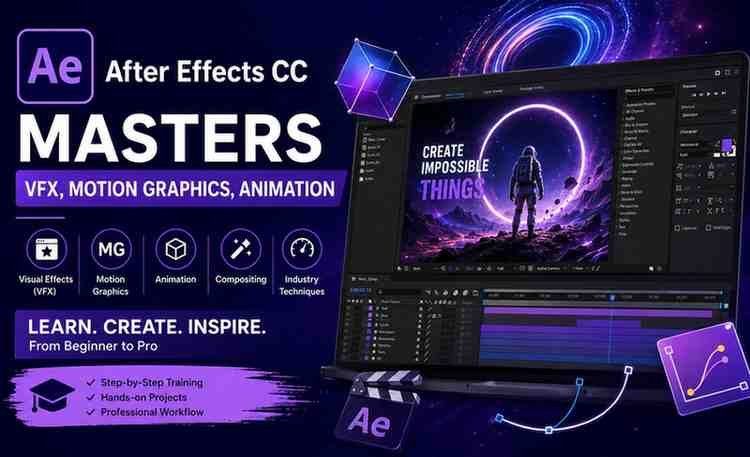
If you’re serious about mastering video editing, motion graphics, and visual effects, After Effects CC Masters: VFX, Motion Graphics, Animation+ is one of the most comprehensive courses available on Udemy. Designed for beginners and intermediate learners, this course helps you go from zero to a confident motion graphics creator.
But does it actually deliver results? Let’s break it down.
What This Course Is All About
This course focuses on teaching Adobe After Effects from the ground up, covering everything from basic tools to advanced animation techniques.
With 27+ hours of content, 200+ lessons, and multiple real-world projects, it is structured as a complete learning path rather than just a basic tutorial.
What You’ll Learn
By the end of this course, you’ll be able to:
- Create professional motion graphics and animations
- Apply visual effects (VFX) to enhance videos
- Work confidently with keyframes, timelines, and layers
- Use green screen (chroma keying) and rotoscoping techniques
- Build real-world projects like logo animations, transitions, and lower thirds
- Export high-quality videos and integrate with Premiere Pro
The course emphasizes hands-on learning, so you don’t just watch—you actually build projects.
Course Structure & Content Breakdown
The course is divided into well-organized modules:
1. Beginner Foundations
- Interface walkthrough
- Composition setup
- Importing media and timeline basics
2. Animation Essentials
- Keyframes (position, scale, rotation)
- Motion smoothing and graph editor
- Practical animation exercises
3. Motion Graphics Design
- Shapes, masks, and layers
- Text animations and transitions
- Visual storytelling techniques
4. Advanced Techniques
- Green screen removal
- Motion tracking and stabilization
- 3D animation and camera tools
5. Real-World Projects
- Logo reveals
- UI animations
- Social media graphics
- Marketing visuals
This structure ensures a smooth progression from beginner to advanced application.
Instructor Quality
The course is taught by an experienced video creator and motion graphics expert known for a clear and beginner-friendly teaching style.
The instruction is:
- Step-by-step
- Easy to follow
- Focused on real-world application
Even complete beginners can follow along without confusion.
Who This Course Is Best For
This course is ideal for:
- Beginners with no After Effects experience
- YouTubers and content creators
- Video editors upgrading their skills
- Freelancers entering motion graphics
- Digital marketers using video content
It may not be ideal for professionals looking for highly advanced, cinema-level VFX workflows.
Pros and Cons
✅ Pros
- Complete beginner-to-advanced roadmap
- Strong focus on practical projects
- Covers animation, motion graphics, and VFX
- Easy-to-understand teaching style
- Excellent for building a portfolio
❌ Cons
- Some sections may feel slow for intermediate users
- Limited coverage of high-end VFX pipelines
- Requires consistent practice for mastery
Career Value & Opportunities
After Effects is a high-demand, high-income skill.
After completing this course, you can:
- Start freelancing and earn monthly income
- Offer video editing services to creators
- Create social media ads and reels
- Build a motion graphics portfolio
- Work in marketing, media, or production
With the rise of video content, demand for these skills continues to grow rapidly.
Is It Worth It?
Yes — this is one of the best all-in-one After Effects courses for beginners.
It stands out because of:
- Comprehensive content
- Practical learning approach
- Clear and structured teaching
If your goal is to learn After Effects from scratch and build real skills, this course is a strong choice.