




Description
Introduction
UI/UX design has become one of the fastest-growing career fields in the digital industry. From startups to enterprise-level technology companies, businesses increasingly rely on visually appealing and user-friendly interfaces for websites and mobile applications. Among modern design tools, Figma has emerged as one of the most popular platforms for collaborative interface design, wireframing, and prototyping.
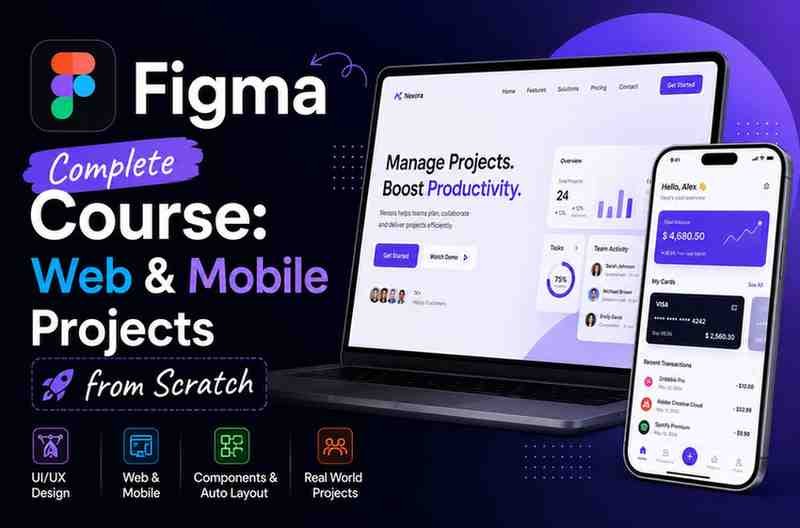
The “Complete Figma Course: Web & Mobile Projects from Scratch” course is designed for beginners and aspiring designers who want to learn practical UI/UX design workflows using Figma. Rather than focusing only on theory, the course emphasizes project-based learning, helping students create real-world web and mobile UI designs from scratch.
What You Will Learn
The course focuses heavily on practical UI design workflows and real-world projects. Instead of isolated lessons, students learn through complete interface creation processes.
Key topics typically covered include:
1. Introduction to Figma Interface
Beginners are introduced to:
- Figma workspace
- Toolbars and panels
- Frames and layouts
- Design organization
- Layer management
- Asset handling
This section helps new users become comfortable with the design environment before moving into advanced UI creation.
2. UI Design Fundamentals
The course explains essential visual design principles such as:
- Typography
- Color theory
- Spacing systems
- Visual hierarchy
- Alignment
- Layout consistency
Understanding these principles is critical because good UI design is not only about aesthetics but also usability and user experience.
3. Wireframing and Layout Design
Students learn how to:
- Create low-fidelity wireframes
- Structure page layouts
- Design user flows
- Build responsive sections
- Organize content effectively
Wireframing skills are extremely important for planning professional websites and applications.
4. Web Design Projects
One of the strongest parts of the course is its project-based web design training. Learners typically build:
- Landing pages
- Business websites
- Portfolio pages
- Dashboard layouts
- Responsive web interfaces
These projects help students understand real production workflows rather than isolated theory lessons.
5. Mobile App UI Design
The course also focuses on mobile application interface design, including:
- Mobile screen layouts
- Navigation systems
- App components
- User interaction design
- Modern mobile UI trends
This section is valuable because mobile-first design has become standard in modern digital product development.
6. Components and Design Systems
Students are introduced to scalable UI practices such as:
- Reusable components
- Auto layouts
- Design consistency
- Shared styles
- UI libraries
These concepts are especially important for professional product design teams.
7. Prototyping and Interaction Design
The course usually includes:
- Interactive prototypes
- Clickable user flows
- Transition animations
- Presentation-ready mockups
This helps learners simulate real application behavior before development begins.
Teaching Style and Course Structure
The teaching approach is highly practical and beginner-friendly. Lessons are generally structured in a step-by-step format, making it easy for newcomers to follow along.
Key Strengths of the Teaching Style
- Simple explanations
- Hands-on learning
- Real project workflows
- Beginner-focused pacing
- Modern design examples
- Practical demonstrations instead of heavy theory
The instructor appears to prioritize implementation and visual learning, which works well for design education.
Advantages of This Figma Course
Excellent for Beginners
The course starts from foundational concepts, making it accessible even for students with zero UI/UX experience.
Project-Based Learning
Instead of isolated tutorials, learners create practical projects that simulate real-world client or company work.
Covers Both Web and Mobile Design
Many beginner courses focus on only one platform. This course helps students understand both responsive web interfaces and mobile application layouts.
Helps Build Portfolio Projects
Students can use completed designs as part of their:
- UI/UX portfolios
- Freelance showcases
- Internship applications
- Job interviews
A strong portfolio is often more important than certifications in design careers.
Beginner-Friendly UI/UX Workflow
The course introduces professional workflows without overwhelming technical complexity.
Valuable for Freelancers
Freelancers creating websites or app prototypes can use the skills learned here to improve service offerings and attract clients.
Areas That Could Be Improved
While the course offers strong beginner value, there are some limitations.
Limited Advanced UX Research Coverage
The course focuses more on UI implementation than deep UX research methodologies such as:
- User interviews
- Usability testing
- Behavioral analysis
- Accessibility audits
- Advanced product psychology
Students seeking senior-level UX expertise may need additional specialized learning later.
Requires Independent Practice
Design is a practical skill. Watching tutorials alone will not create professional-level abilities. Students must practice regularly and redesign interfaces independently.
Less Focus on Development Handoff
Although design workflows are covered well, advanced collaboration topics with developers may be somewhat limited.
Who Should Take This Course?
UI/UX Beginners
If you are entering the design field for the first time, this course provides an excellent starting point.
Students and Career Changers
Students exploring careers in:
- UI Design
- UX Design
- Product Design
- Web Design
- Mobile App Design
can benefit significantly from the practical approach.
Front-End Developers
Developers wanting better design understanding can improve:
- UI structure
- Visual consistency
- Prototyping workflows
- Client communication
Freelancers and Entrepreneurs
Freelancers building websites or entrepreneurs designing startup products can use the course to create professional-looking interfaces without hiring external designers initially.
Career Benefits of Learning Figma
Learning Figma can open opportunities in:
- UI Design
- UX Design
- Product Design
- SaaS startups
- Mobile app development
- Web agencies
- Freelancing
Common career roles include:
- UI Designer
- UX Designer
- Product Designer
- Web Designer
- Mobile App Designer
- Design Consultant
Modern companies increasingly prefer designers familiar with collaborative cloud-based design systems and prototyping tools.
Practical Skills You Gain
By completing this course, learners typically improve in:
- Interface design
- Layout creation
- Mobile responsiveness
- Visual hierarchy
- Design consistency
- User flow planning
- Interactive prototyping
- Portfolio development
These are highly valuable skills in today’s digital product ecosystem.
Overall Learning Experience
The course delivers a balanced combination of:
- Design theory
- Practical implementation
- Real-world projects
- Beginner accessibility
- Portfolio-focused learning
Its strongest advantage is helping students move from theory into actual interface creation using professional workflows.
Summary
The Complete Figma Course: Web & Mobile Projects from Scratch is a strong beginner-to-intermediate UI/UX design course for learners who want hands-on experience creating modern digital interfaces.

Reviews
There are no reviews yet.