Description
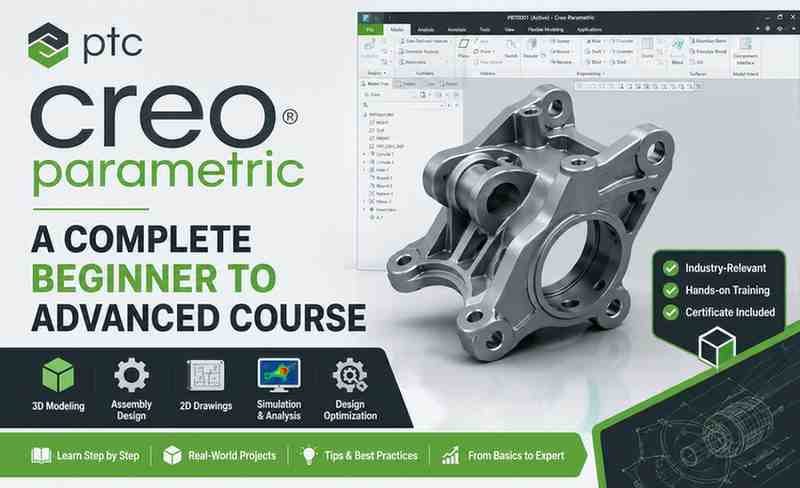
If you want to build a career in product design, mechanical engineering, or CAD modeling, learning PTC Creo Parametric can be a valuable skill. PTC Creo Parametric – A Complete Beginner to Advanced Course is designed to help students, engineers, and product designers learn professional 3D CAD modeling from the ground up.
This course focuses on practical design workflows, parametric modeling, assemblies, engineering drawings, and real-world product development techniques. Whether you are starting from zero or upgrading your CAD skills, it offers a structured path toward mastering Creo.
What Is This Course About?
This course teaches complete CAD design using PTC Creo Parametric, covering the full workflow from sketching to final assemblies.
Main topics include:
- 2D sketching
- 3D part modeling
- Parametric design
- Surface modeling
- Assembly creation
- Engineering drawings
- Product simulation basics
- Design modifications
The course follows a practical learning model where students create real parts and assemblies while learning.
What You Will Learn
1. Creo Fundamentals
The course begins with the software basics.
You learn:
- Interface navigation
- File management
- Basic commands
- Sketching tools
- Constraints
- Dimensioning
This section builds the core foundation.
2. 2D Sketching and Constraints
Sketching is the backbone of parametric modeling.
This module covers:
- Lines and curves
- Circles
- Slots
- Fillets
- Geometric constraints
- Dimension control
Strong sketching skills improve model accuracy.
3. 3D Part Modeling
This section focuses on converting sketches into 3D models.
Topics include:
- Extrude
- Revolve
- Sweep
- Blend
- Hole creation
- Shelling
- Pattern tools
These are essential for industrial product creation.
4. Parametric Modeling
One of Creo’s strongest features is parametric design.
You learn how to:
- Modify dimensions dynamically
- Create design variations
- Control model behavior
- Build editable models
This is useful for real engineering projects.
5. Assembly Design
Assembly creation is a major part of product design.
This module teaches:
- Component placement
- Constraints in assembly
- Motion relationships
- Subassemblies
- Assembly management
This helps learners understand complete product structures.
6. Engineering Drawings
Technical drawing generation is covered in detail.
You will learn:
- Orthographic views
- Section views
- Dimensions
- Tolerances
- Annotations
- Manufacturing drawings
These skills are critical for production environments.
7. Advanced Modeling Tools
The advanced modules introduce:
- Surface modeling
- Complex geometry
- Advanced feature tools
- Professional modeling workflows
This makes the course suitable beyond beginner level.
Course Pros
Beginner to Advanced Coverage
The course starts with fundamentals and progresses into advanced workflows.
That makes it suitable for long-term learning.
Practical Project-Based Learning
Real modeling exercises improve practical understanding.
Strong Engineering Focus
The course is useful for mechanical engineering students and professionals.
Complete Workflow Training
It covers the entire product design process.
Career-Relevant Skill
Creo is widely used in manufacturing and engineering industries.
Course Cons
Interface Can Feel Complex
Beginners may need time to adjust to Creo’s workflow.
Requires Practice
CAD skills improve with repetition, so extra practice is necessary.
Hardware Requirements
Running Creo smoothly may require a good computer.
Who Should Take This Course?
This course is ideal for:
- Mechanical engineering students
- Product designers
- CAD beginners
- Manufacturing professionals
- Industrial designers
- Engineering freelancers
It is especially valuable for learners planning careers in design and manufacturing.
Skill Level
Beginner to Advanced
The course starts from zero and gradually introduces professional-level tools.
Teaching Quality
The teaching style is structured and practical.
Concepts are explained step by step, making it easier for beginners to follow while still offering advanced content for experienced learners.
Career Benefits of Learning Creo
Learning Creo can help in careers such as:
- CAD Designer
- Mechanical Design Engineer
- Product Development Engineer
- Tool Design Engineer
- Manufacturing Engineer
It is a valuable skill in automotive, aerospace, manufacturing, and industrial product sectors.
Is This Course Worth It?
Yes. If your goal is to master professional CAD modeling and product design, this course offers strong value.
It provides:
- Complete Creo training
- Real-world CAD projects
- Parametric modeling skills
- Assembly design knowledge
- Engineering drawing creation
That makes it a practical investment for engineering learners.
Summary
PTC Creo Parametric – A Complete Beginner to Advanced Course is a strong CAD learning course for students and professionals who want practical product design skills.
Its structured approach, project-based teaching, and full coverage of parametric modeling make it a valuable learning resource.