Description
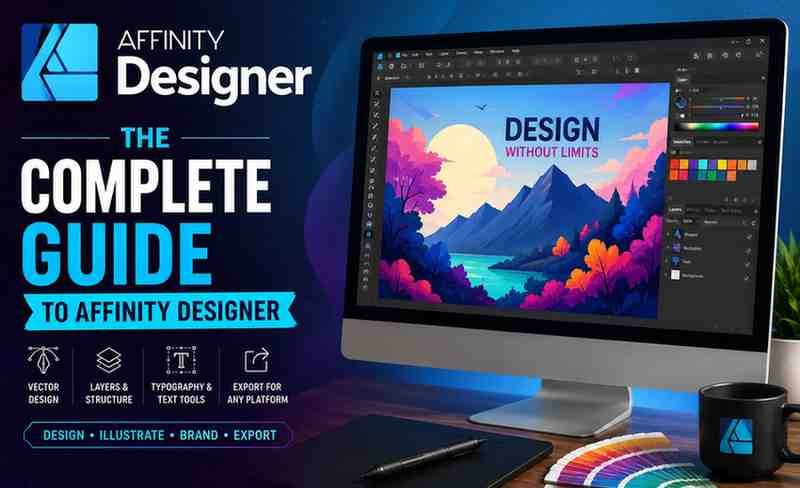
If you’re looking to master vector graphic design without relying on expensive Adobe tools, Affinity Designer has emerged as a powerful and affordable alternative. The course “Affinity Designer: The Complete Guide to Affinity Designer” on Udemy promises to take learners from beginner to professional level. But does it actually deliver? Here’s a complete, no-fluff review.
Overview of the Course
This course is designed as a complete learning path for Affinity Designer, covering everything from basic tools to advanced design workflows. With extensive video lessons and structured modules, it ensures that learners can gradually build their skills without feeling lost.
The course focuses heavily on practical application, meaning you won’t just learn theory—you’ll actually create real designs as you progress.
What You’ll Learn
By enrolling in this course, you’ll gain a solid understanding of:
- The Affinity Designer interface and workspace
- Core tools like Pen Tool, Shape Tool, and Brushes
- Working with layers, colors, gradients, and effects
- Creating logos, icons, and vector illustrations
- Understanding vector vs pixel workflows
- Exporting designs for web, social media, and print
One of the standout features is the inclusion of both vector and pixel personas, allowing you to handle multiple types of design tasks within one software.
Course Structure & Content Quality
The course is well-organized into logical sections, making it easy to follow even for beginners:
- Introduction and setup
- Drawing and vector fundamentals
- Advanced tools and techniques
- Typography and layout design
- Digital painting and pixel editing
- Real-world design projects
Each section builds on the previous one, ensuring a smooth learning curve. The project-based approach helps reinforce concepts and keeps the learning process engaging.
Teaching Style & Instructor Quality
The instructor uses a clear, step-by-step teaching method, making even complex design concepts easy to understand.
What works well:
- Simple explanations without unnecessary jargon
- Real-time demonstrations of tools and features
- Focus on practical implementation
- Consistent pacing suitable for beginners
The teaching style is especially effective for those who prefer learning by doing rather than just watching.
Who Is This Course Best For?
This course is ideal for:
- Beginners with no prior design experience
- Designers switching from other tools
- Freelancers and content creators
- Entrepreneurs who want to design their own graphics
It’s particularly useful for anyone looking to avoid expensive subscription-based design software.
Pros and Cons
✅ Pros
- Complete beginner-to-advanced coverage
- Strong emphasis on hands-on projects
- Covers both vector and pixel workflows
- Easy-to-follow teaching style
- Excellent value for money
❌ Cons
- The course is quite long, which may feel overwhelming
- Some repetition in basic sections
- Requires consistent practice for best results
Final Verdict
Rating: 4.6 / 5
The Affinity Designer: The Complete Guide to Affinity Designer course delivers exactly what it promises—a comprehensive, practical, and beginner-friendly learning experience.
It stands out because of its project-based approach and depth of content, making it suitable for anyone serious about building real-world design skills.
Should You Enroll?
👉 Yes, if:
- You want a structured, step-by-step design course
- You are starting from scratch
- You prefer hands-on, project-based learning